For League of Legends · Windows 10 and 11 · invite-only beta
Your personal improvement assistant.
Stop playing on autopilot. Before each game, Ascend gives you an objective; after it, it shows you the moments that cost you the game and turns them into your next point of work. You play in an organised way, and your improvement curve becomes something you steer.
01 — Solo training
Everything that happens between two games.
Ascend runs in the background while you play. Between two games, it gives you what you need to understand what happened, and what to work on in the next one.
-
01Recording
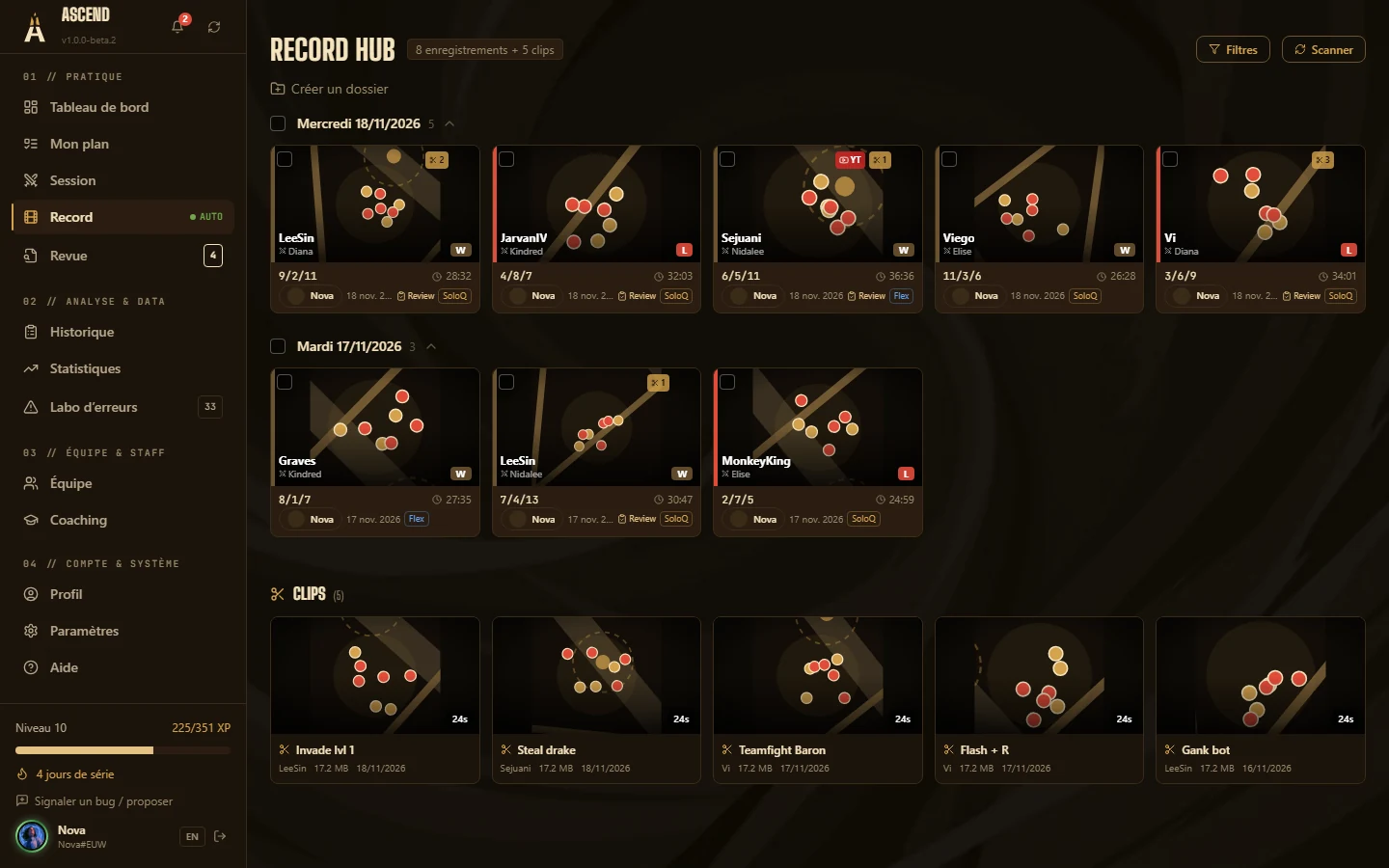
Your games record themselves.
Launch your game: Ascend captures the video and the match timeline. Nothing to set up before each game.
-
02Micro-review
Three moments, forty-five seconds.
Right after the game, Ascend shows you the three moments that cost you the most. One click per moment to say what happened.
-
03Post-game review
Your VOD, annotated.
Rewatch the key passages, tag your mistakes on the timeline and write down what you take into the next game.
-
04Statistics
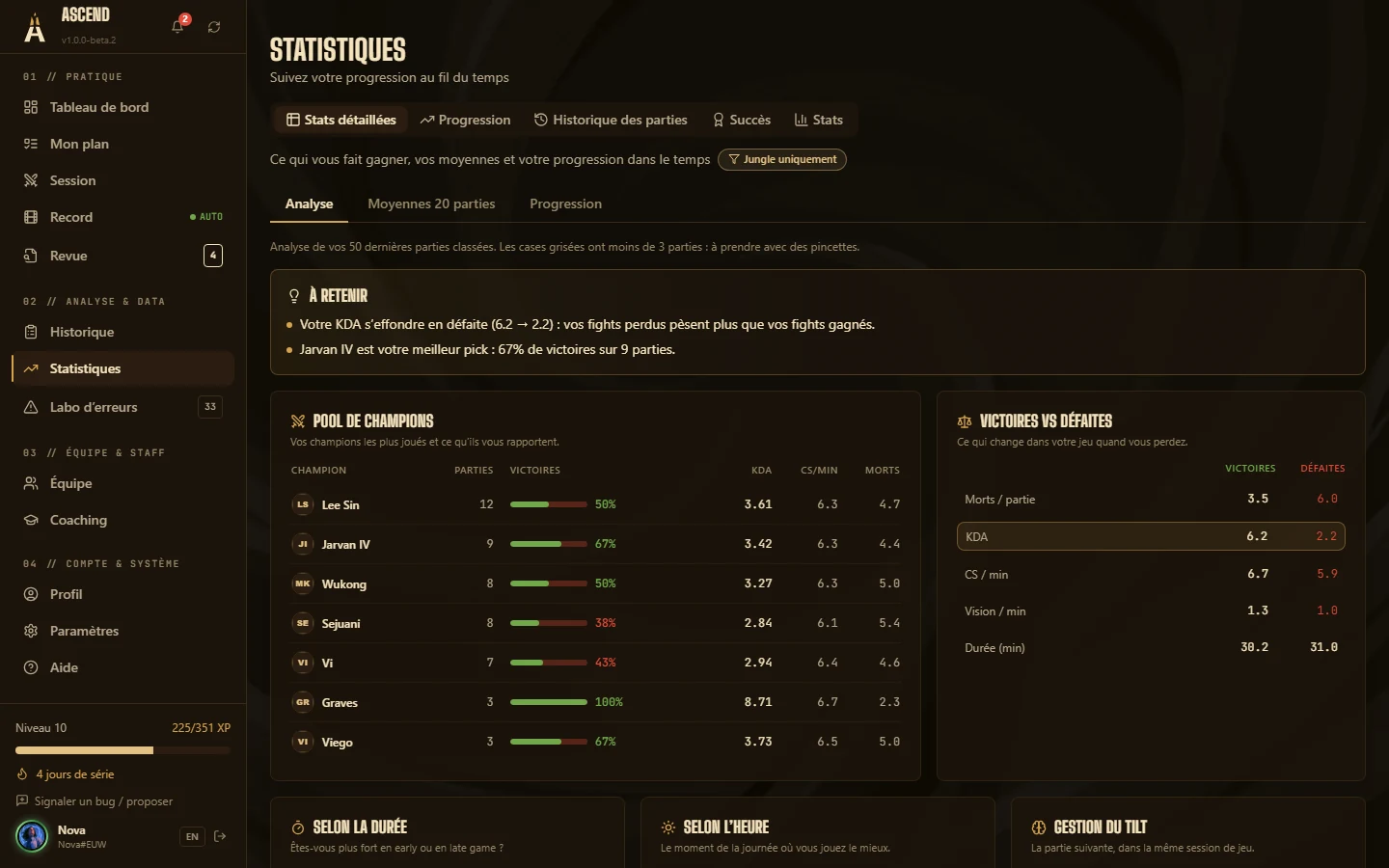
What makes you win, in numbers.
CS, vision, trades, objectives: your stats compared with your own averages, to see what really changes when you win.
-
05Mistake Lab
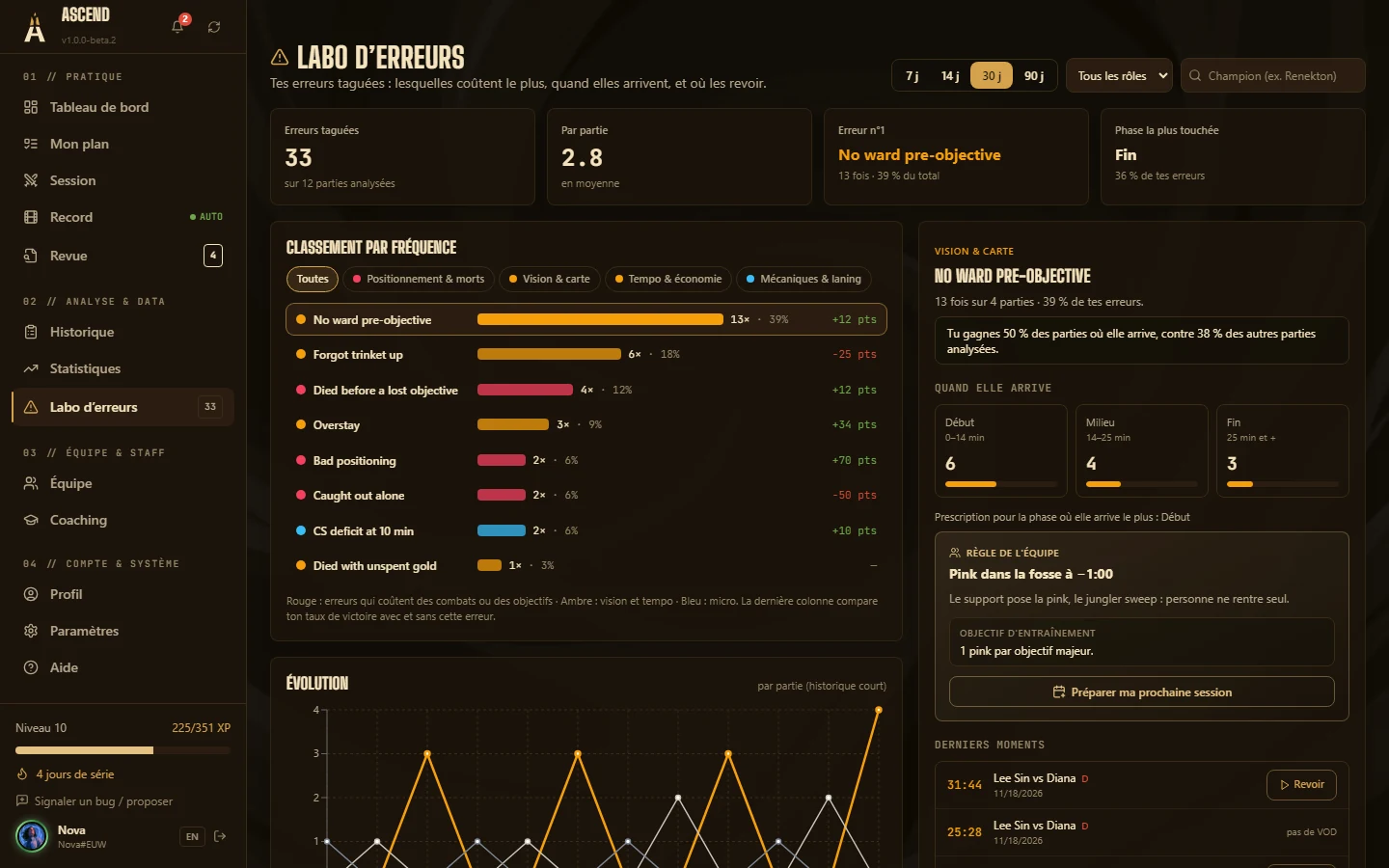
Your recurring mistakes, sorted.
Every tagged mistake joins the lab. You see which ones come back, what they cost, and which one to tackle first.
02 — Team environment
Staff and players on the same tool.
Coaching, management, scheduling and team analysis in one place. Each player keeps their solo training; the staff sees what the players choose to share.
-
Schedule
The team’s week, without a spreadsheet.
Scrims, reviews and 1:1s in one calendar, with the slots when every starter is free.
-
Team dashboard
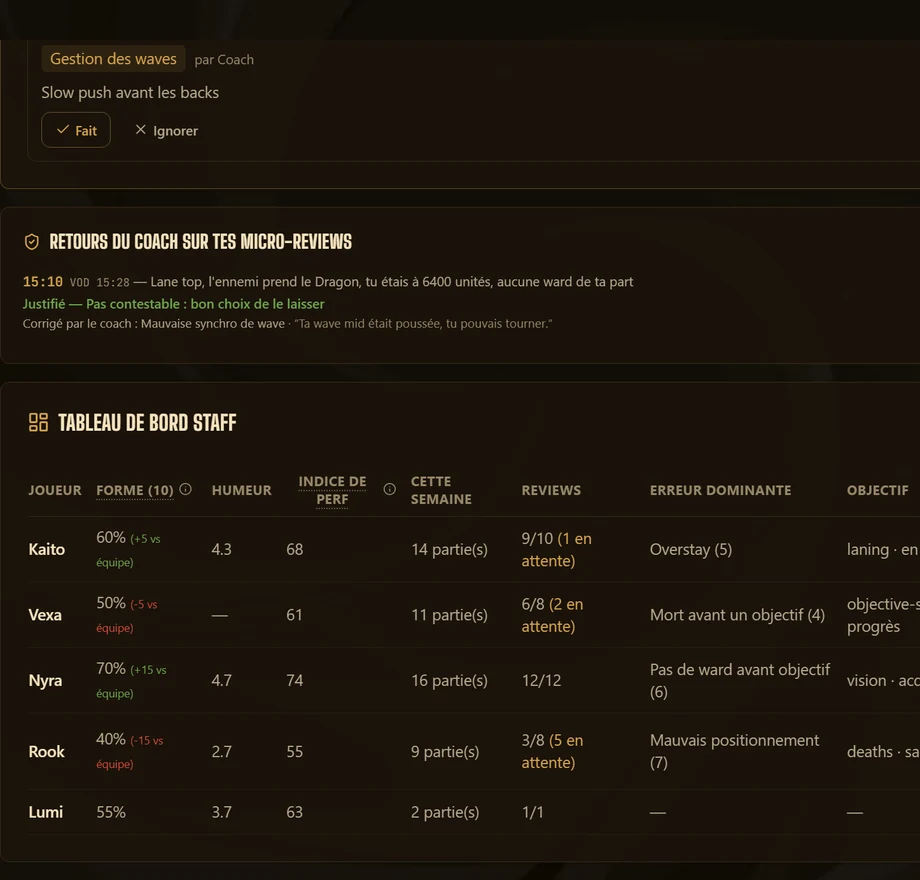
The whole team on one page.
Each player’s form, playing volume and alerts, with what deserves a talk this week.
-
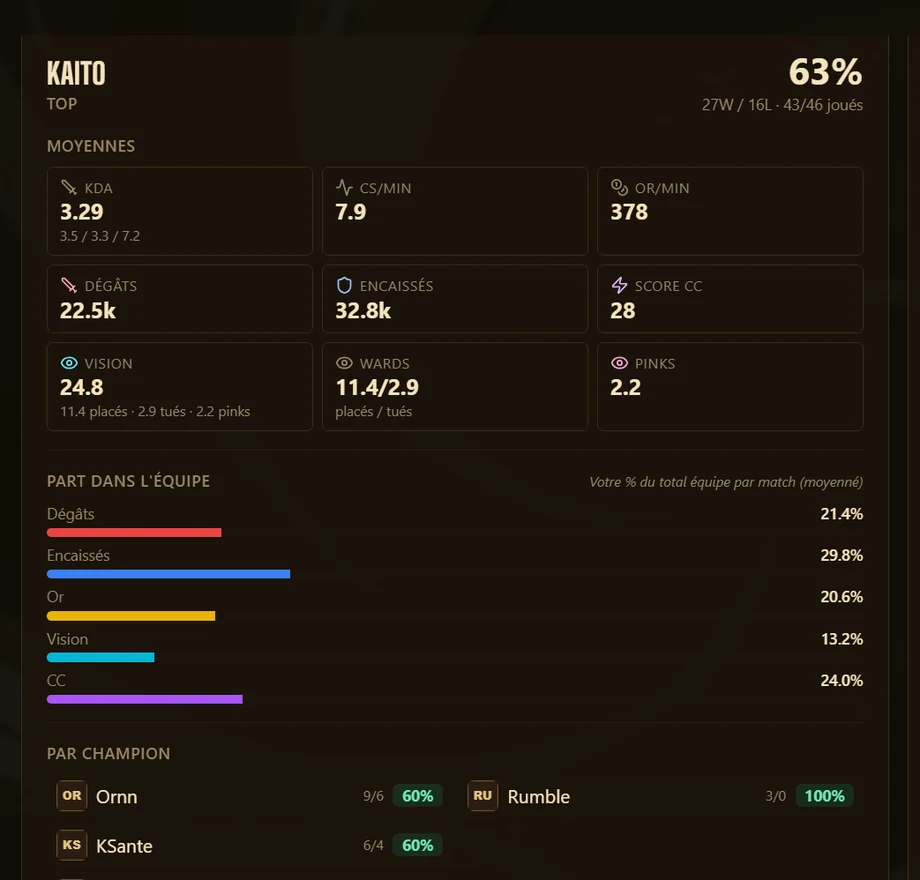
Team statistics
Scrims and tournaments, in numbers.
Each player’s and the team’s stats across scrims, flex and tournaments, side by side.
-
Team reviews
VOD reviews that leave a trace.
Timestamped comments, tags, actions to keep: the review lives on after the meeting.
Also: draft, champion pools, scouting, weekly report, trial players.
03 — Questions
Frequently asked questions
Another question? Write to us: exciid501@gmail.com
Is Ascend free?
Yes. Every feature described here is free during the beta, and a complete free version will always remain available.
How do I get access?
The beta is invite-only. A member can create a single-use code, valid for 14 days. The code of a team or coaching group that invites you also opens access.
Is it allowed by Riot Games?
Ascend uses Riot Games’ official public API and follows its policies: no game modification, no information during the game, no live advantage. Ascend isn’t endorsed by Riot Games (see the notice at the bottom of the page).
Does it work on Mac?
The desktop application is available for Windows 10 and 11. The web app (reviews, coaching, schedule, scrims) works on every device but does not record games.
Does recording slow the game down?
Capture uses your graphics card’s hardware encoder when available. Quality, frame rate and folder are configurable, and automatic recording can be turned off.
Do my teammates see my statistics?
Only if you decide so. Sharing is set group by group (reviews, statistics, team data, wellbeing) and can be withdrawn at any time.
Is there AI?
Not at the core of the application: the micro-review and the assistant apply coaching rules written in advance, which you can read. Voice transcription of debriefs uses a model that runs on your PC; nothing is sent to an AI service.
What does the engine know about the game?
Only what Riot’s official match timeline proves, sampled every minute: positions, gold, XP, levels, CS, kills, objectives, towers, wards and purchases. Ascend applies coaching rules written in advance to it: the map (lanes, rivers, pits, towers), objective timers, economy thresholds, the level race, vision, tempo and role-specific patterns (41 in all). A win-chance estimate, drawn from gold, XP and objectives, only serves to set aside moments when the game was already decided: it is never shown as a rating. What the data does not contain (spells cast, minion waves, where a ward was placed), the engine does not guess.
How does the Mistake Lab spot my mistakes?
Three ways. 16 mistakes are spotted without you on the timeline, by fixed rules: dying with more than 1,500 gold in your pocket, for instance, or being 15 CS behind your lane opponent at 10:00. The others come from your micro-review answers (a “justified” answer never counts) and from your own tags during a review. A mistake already recorded is never counted twice. The Lab then ranks each mistake by frequency, by moment of the game and by the win-rate gap between games with and without it, and offers the Codex entry that fixes it.
Can the micro-review be wrong?
It suggests, you decide. It only sees the match timeline, sampled every minute by Riot: when the data proves nothing, it stays silent. And every moment keeps its “justified” way out.
Your next game can already count.
The beta opens in waves. Request access: you get an invite code, you install Ascend, and tonight your first micro-review tells you what to work on.
Already have a code? Download for Windows v1.0.0-beta.9 · 255 MB