Team environment
Your team’s coaching and management, in one place.
Schedule, reviews, statistics and player follow-up: the staff organises, the players train, and everyone only sees what the other chose to share. For an amateur team, an academy or a coaching group.
01 — Roles
Everyone has their own screen.
The tabs adapt to the role: a player never sees the staff’s notes, the staff only sees what the players share.
Players
Their solo training, the objectives assigned by the staff, the schedule, team reviews and an optional wellbeing check-in.
Coaches and analysts
Each player’s follow-up, VOD reviews, development plans, the weekly report and the evaluation of trial players.
Managers and captains
The roster, the schedule and scrims, drafts, champion pools and opponent scouting.
02 — In the app
A team season, organised.
Every screen below comes from the application, with a demonstration team.
-
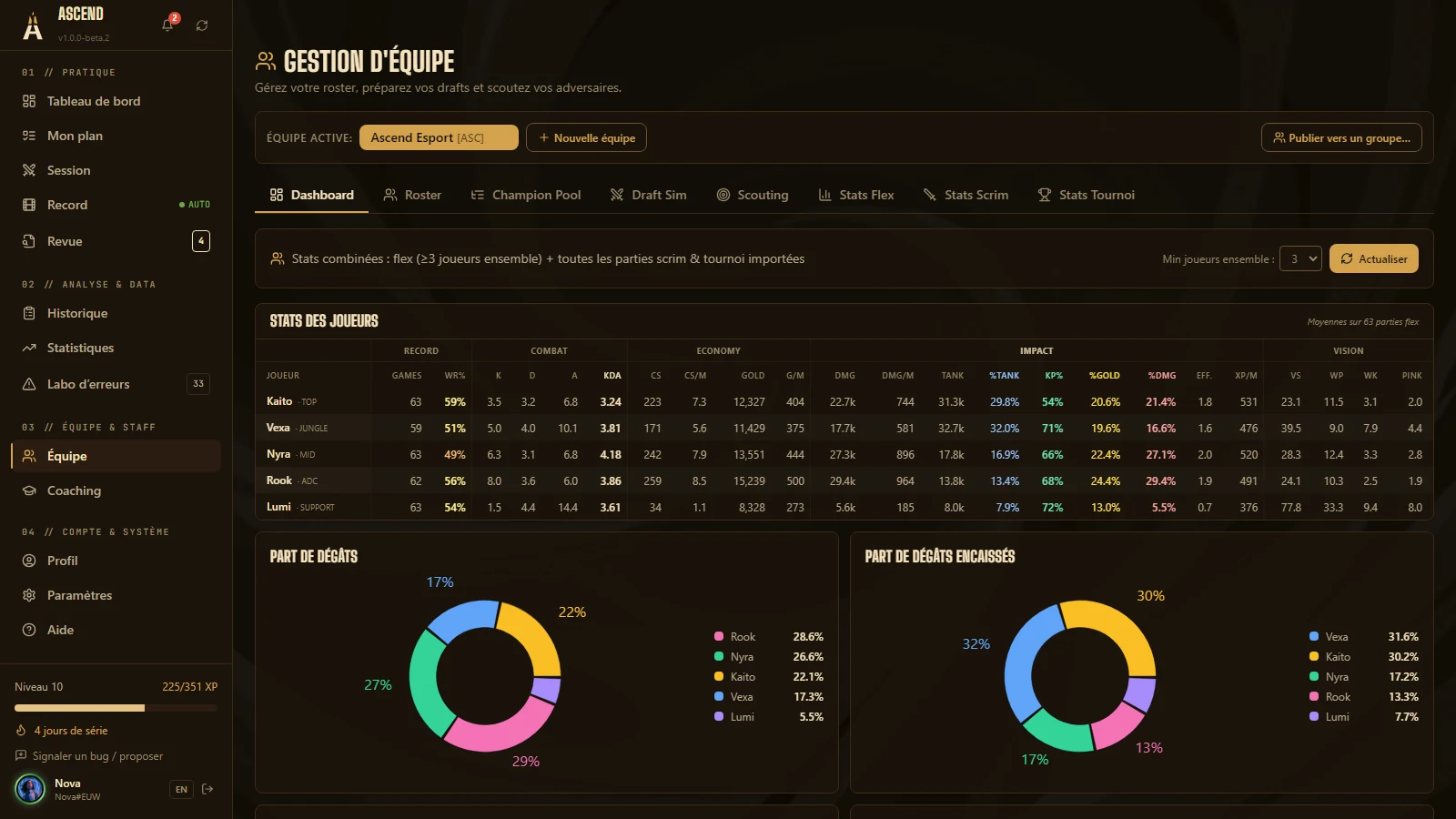
01Team dashboard
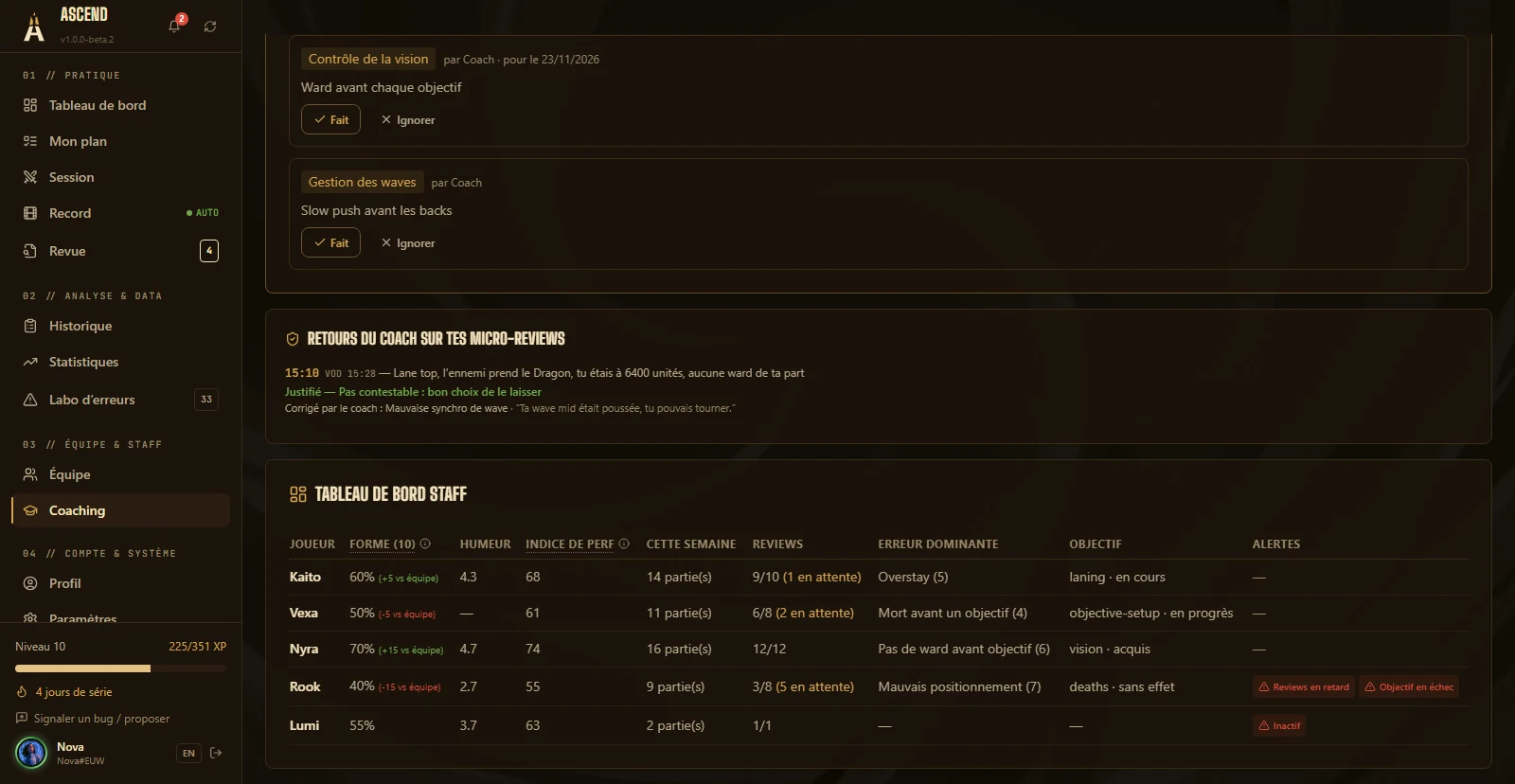
The whole team on one screen.
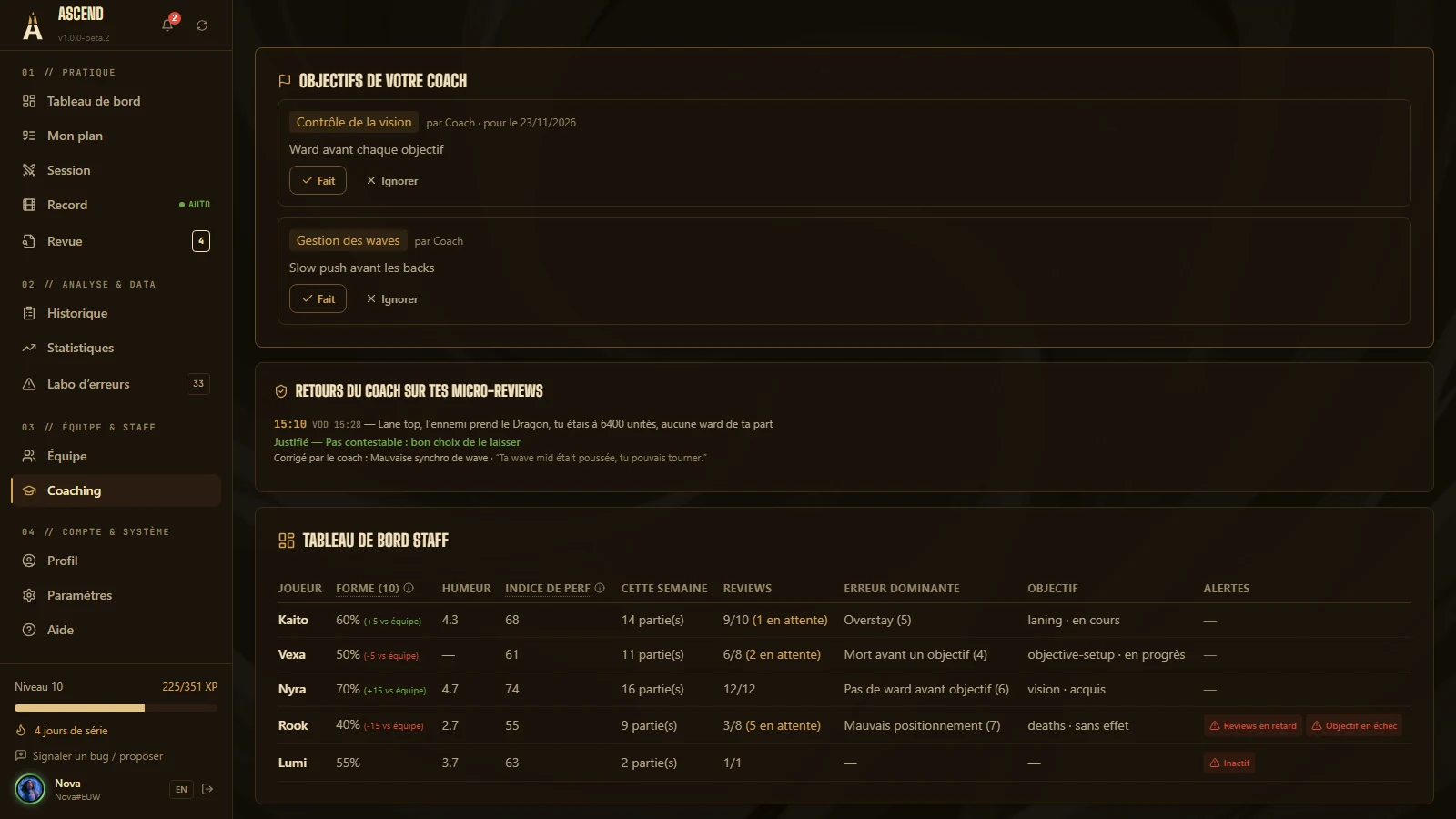
One row per player and the roster’s combined statistics: what deserves a talk this week stands out.
- Form, mood, the week’s volume, reviews, main mistake and current objective
- Alerts when a player drops off
- Combined stats: flex played together, imported scrims and tournaments
- Shares of damage, damage taken, gold and KP
-
02Schedule
The team’s week, without a spreadsheet.
Scrims, reviews, meetings and 1:1s on a weekly grid, with each starter’s availability.
- Common slots highlighted when every starter is free
- A scrim is booked straight from a common slot
- Everyone’s attendance on every event
- Announcements pinned at the top of the week
- .ics export and sync with your calendar
-
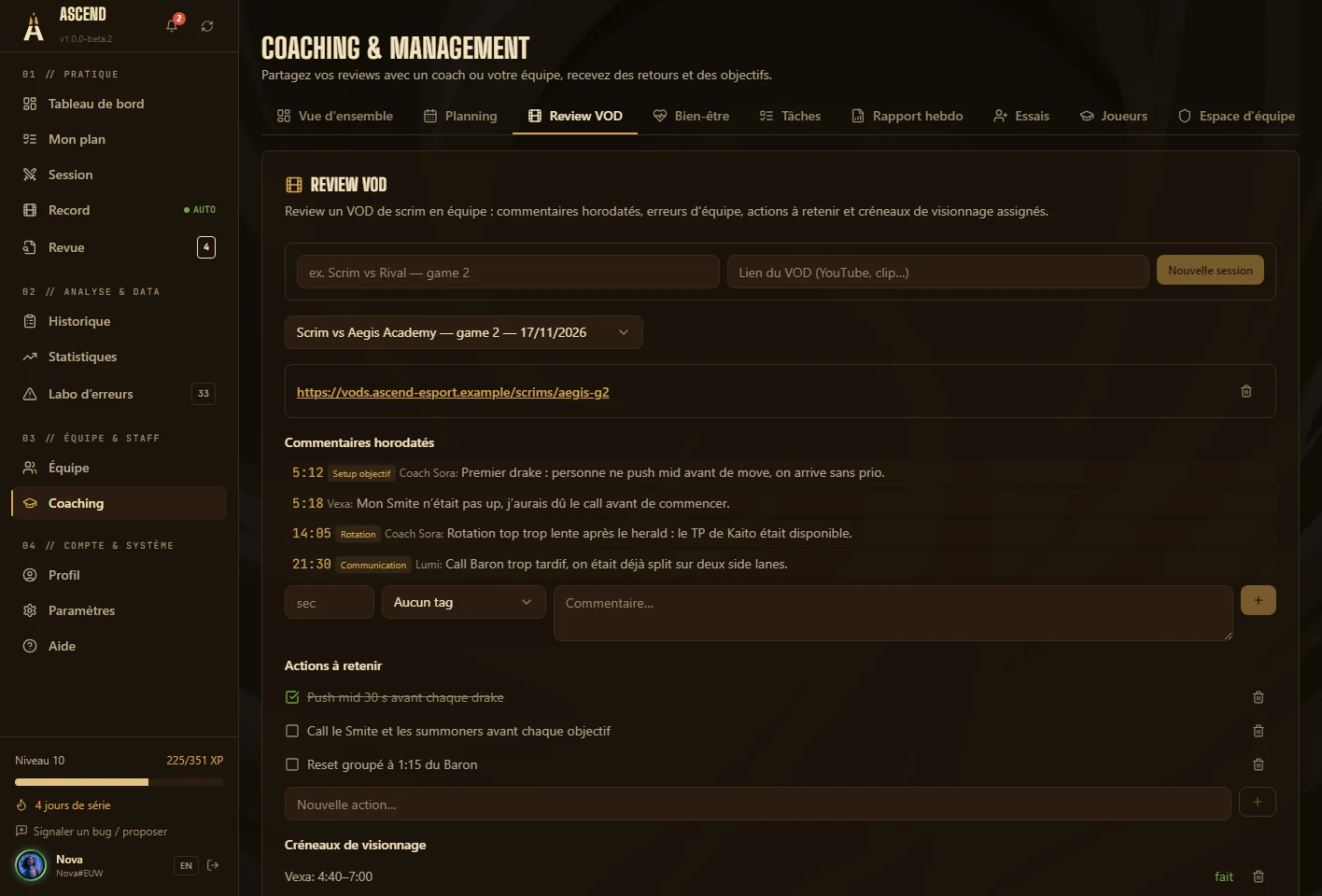
03Team reviews
VOD reviews that leave a trace.
The review lives on after the meeting: every comment is timestamped and tagged, and the actions to keep are written down.
- Comments to the second, with tags
- Team actions to keep for the next games
- Viewing slots assigned to players
- The team’s rules are added to the micro-review’s Codex
-
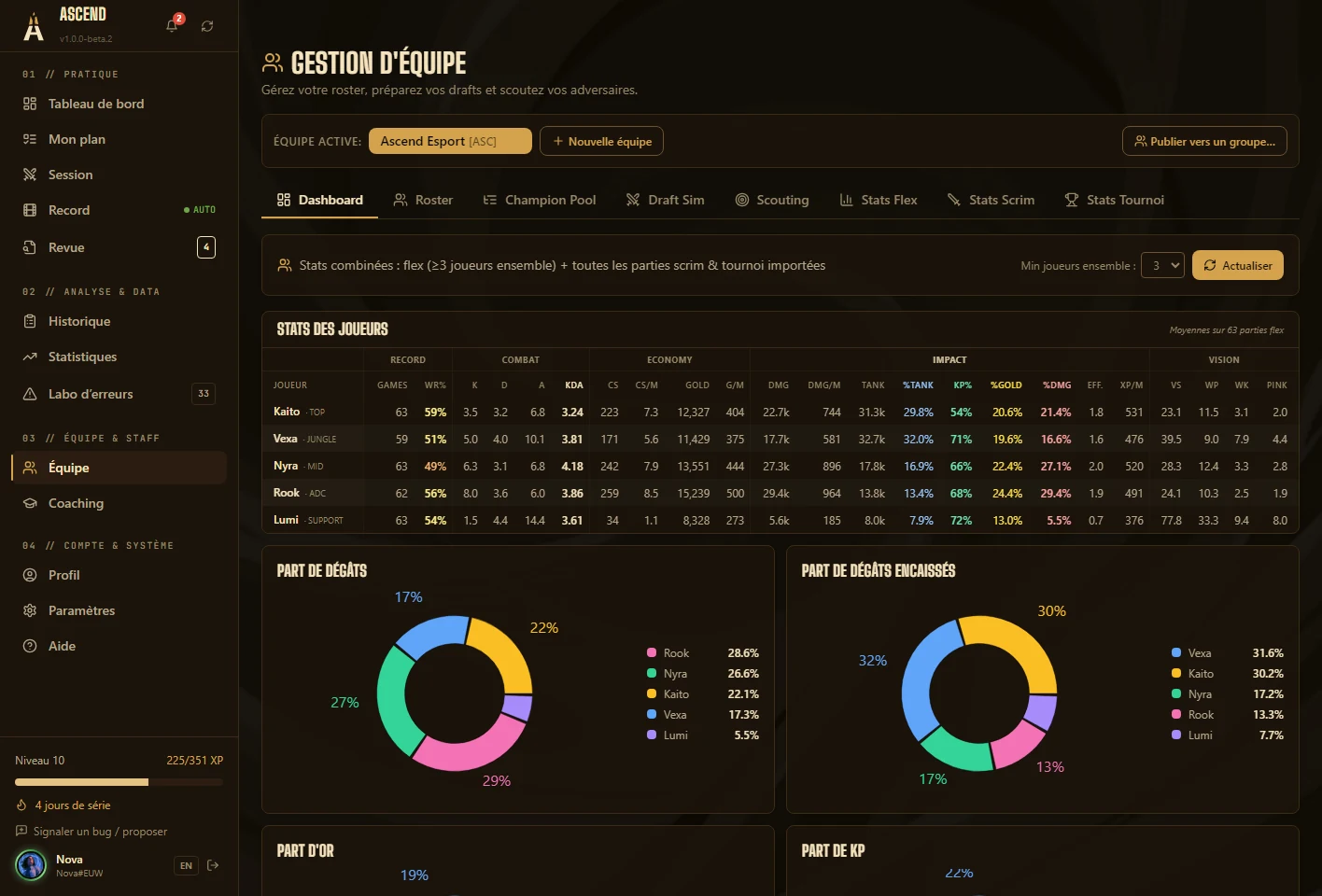
04Team statistics
Scrims, flex and tournaments, in numbers.
Each player’s and the team’s stats, computed on flex games played together and on scrim and tournament exports.
- One table per player: combat, economy, impact, vision
- Import of Replaybook scrim and tournament exports
- Synergy cards per player and per champion
-
05Player follow-up
Follow each player, not just the results.
One file per player: review discipline, development plan, objectives, champion pool and session log.
- Assign an objective with a deadline; the player picks it up in one click
- Private staff notes, never visible to the player
- Weekly or post-tournament report computed in one click
- Wellbeing (energy, mood, sleep), shared only if the player agrees
-
06Draft, pools and scouting
Prepare for the next opponent.
The roster, champion pools, saved drafts and scouting of opposing teams from their public history.
- Main / Comfort / Flex / Learning pools, filled from mastery and the last 30 games
- Draft simulator: bans, picks, several options per slot, enemy threats
- Scouting: champions, games and win rate of each opposing player
- Roster imported from a multi-link
03 — And also
The rest of the environment.
- Team sessions
- Play together with a shared objective, and an end-of-game review for the whole team.
- Trial players
- An evaluation grid per criterion, the position’s starter as the reference, and a status: on trial, kept, declined.
- Tasks
- To-dos you can assign to members of the group.
- Web app and Discord bot
- The schedule, reviews and coaching from a phone, and reminders on your Discord server.
04 — Privacy
Everyone stays in control of their data.
Nothing is shared by default. Each player chooses, group by group, what the staff can see.
- Sharing by choice
- Reviews, statistics, team data, wellbeing: each type is shared separately, and can be withdrawn at any time.
- Staff notes
- They stay between staff members: the player never sees them.
- Videos
- Recordings stay on each player’s PC.
- Scouting
- Only the public history of the Riot IDs you enter.
05 — Getting started
Three steps to bring the team together.
Create the group
A group for your team or your students, with staff and player roles.
Share the code
An invite code valid for 7 days, for 10 people. It also opens access to the beta.
Everyone sets their sharing
Players choose what the staff sees, and everyone meets in Coaching and Team.
Your next game can already count.
The beta opens in waves. Request access: you get an invite code, you install Ascend, and tonight your first micro-review tells you what to work on.
Already have a code? Download for Windows v1.0.0-beta.9 · 255 MB