Solo training
Every game becomes a training session.
Players who improve play with an objective, review themselves and measure. Ascend takes care of everything that happens between two games: the objective before, the recording during, the review right after, and the numbers that tell you whether it works.
01 — The method
One game, four moves.
What makes you improve happens between two games, where people usually give up. Ascend shrinks each move to a few seconds.
-
01
Choose an objective
Ascend suggests 1 to 3 fundamentals out of 38, based on your recent games and your mistakes. You accept, or pick your own.
30 s
-
02
Play
The game is detected and recorded. Nothing shows up while you play.
the game
-
03
Review
At most 3 critical moments, the VOD cued 12 seconds before each. One click per moment.
45 s
-
04
Measure
The objective is checked for you, and your last 15 games are compared with your last 40.
10 s
02 — In the app
What you do between two games.
Every screen below comes from the application, with a demonstration account.
-
01Objective sessions
Play with an objective, not on autopilot.
Before you queue, pick 1 to 3 fundamentals to work on. Ascend follows them game after game and gives a verdict at the end of the session.
- 38 fundamentals, suggested from your recent games and your mistakes
- Objective checked automatically after every game
- A flash calibration every 15 games: which fundamental cost you the most?
- My plan: your current objectives, and the ones your coach assigns you
-
02Recording
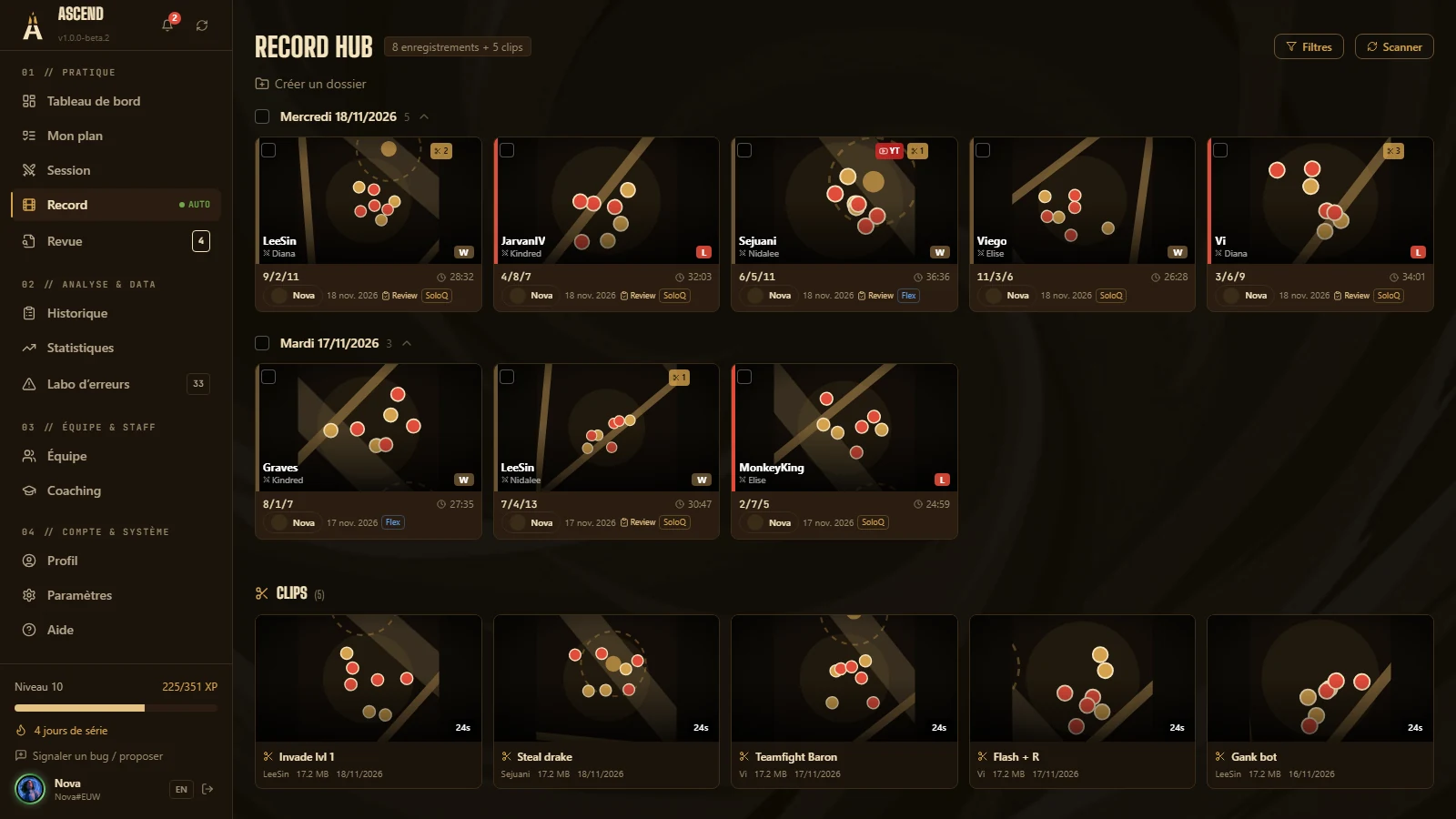
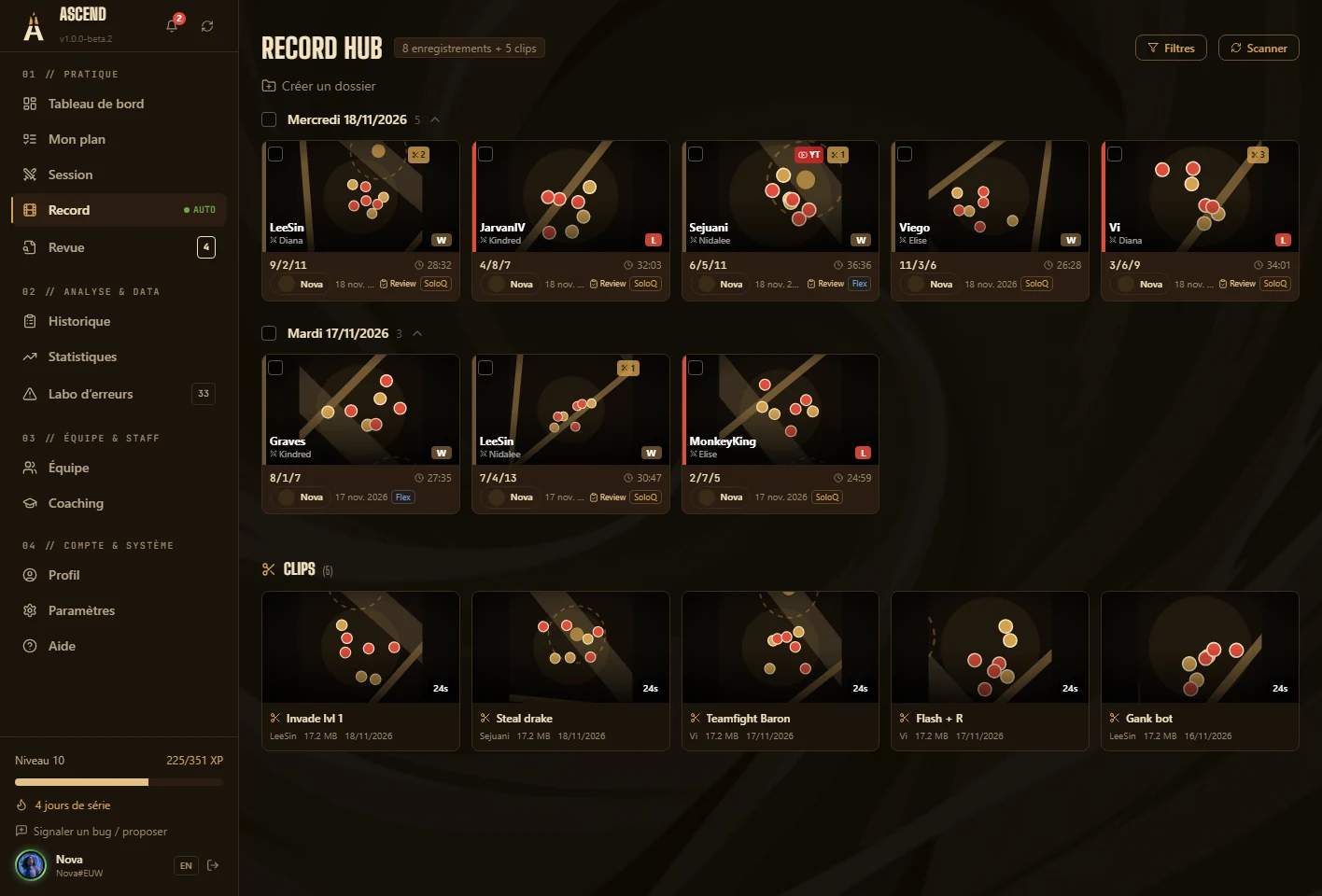
Every game filmed, hands off.
Recording starts and stops with the game. Each video is linked to its match: champion, KDA, result, duration.
- Built-in capture, or your OBS, Outplayed and Insight folders
- A library sorted by day, filters by queue, result and review
- Clips: in and out points, mp4 export
- Videos stay on your PC
-
03Micro-review
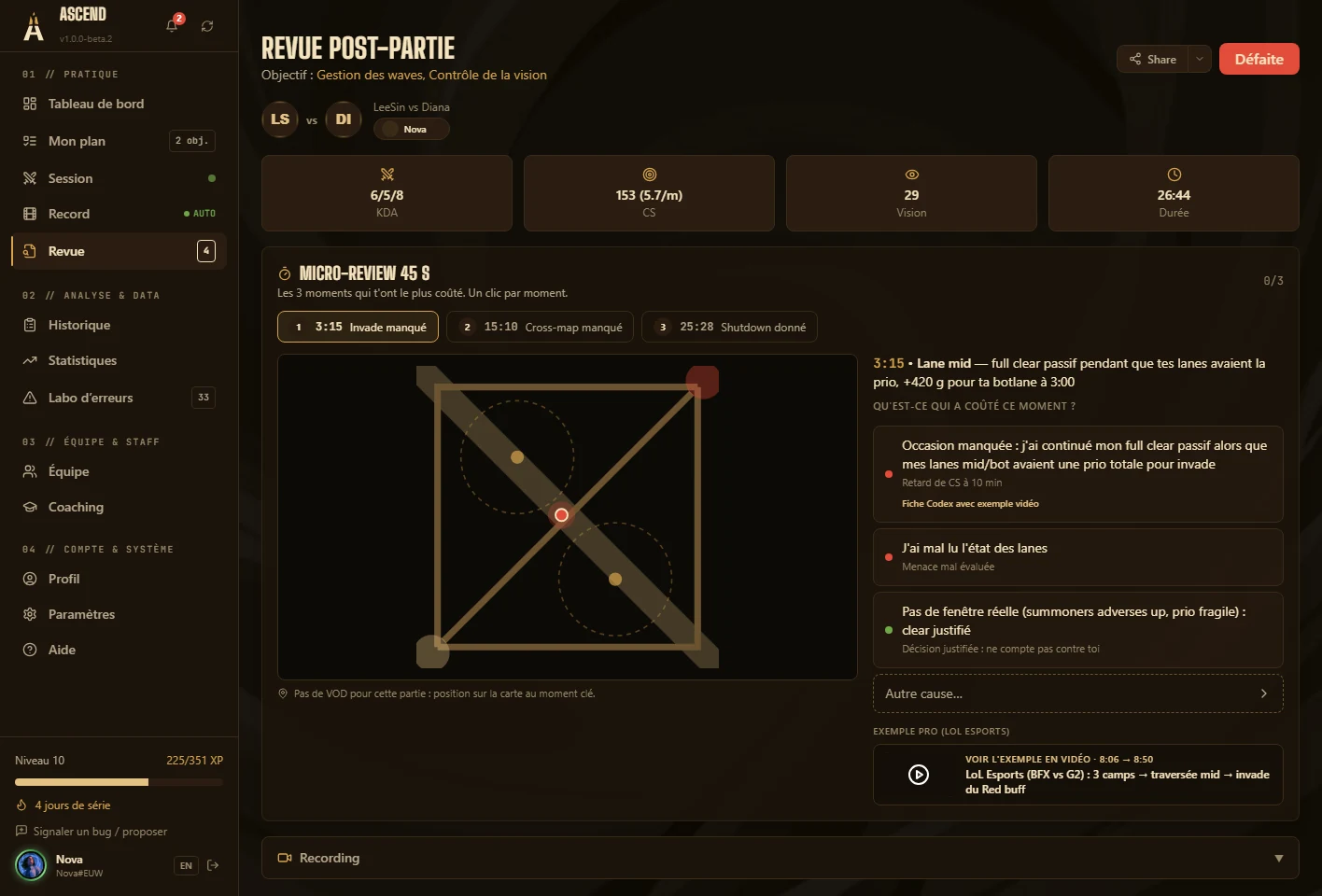
Three moments. Forty-five seconds.
A full review takes twenty minutes, and most players never do one. The micro-review only shows what weighed on the result, and ends before the next queue.
- At most 3 moments, at least 25 seconds apart
- 41 recognised patterns: gank on a timer, desynced recall, first shutdown given away…
- Garbage time is set aside: it would teach you nothing
- A “justified” way out: a decision you stand by is not a mistake
- 109 Codex entries, each with a precise training goal
-
04Post-game review
Your VOD, annotated to the second.
For the games that deserve more than 45 seconds: the video, the match timeline and your notes in one place.
- Tag a mistake (X key) with its severity and a note
- Bookmarks (B) and timestamped notes
- Mistakes detected automatically on the match timeline
- Laning phase 0–14 min compared with your lane opponent
-
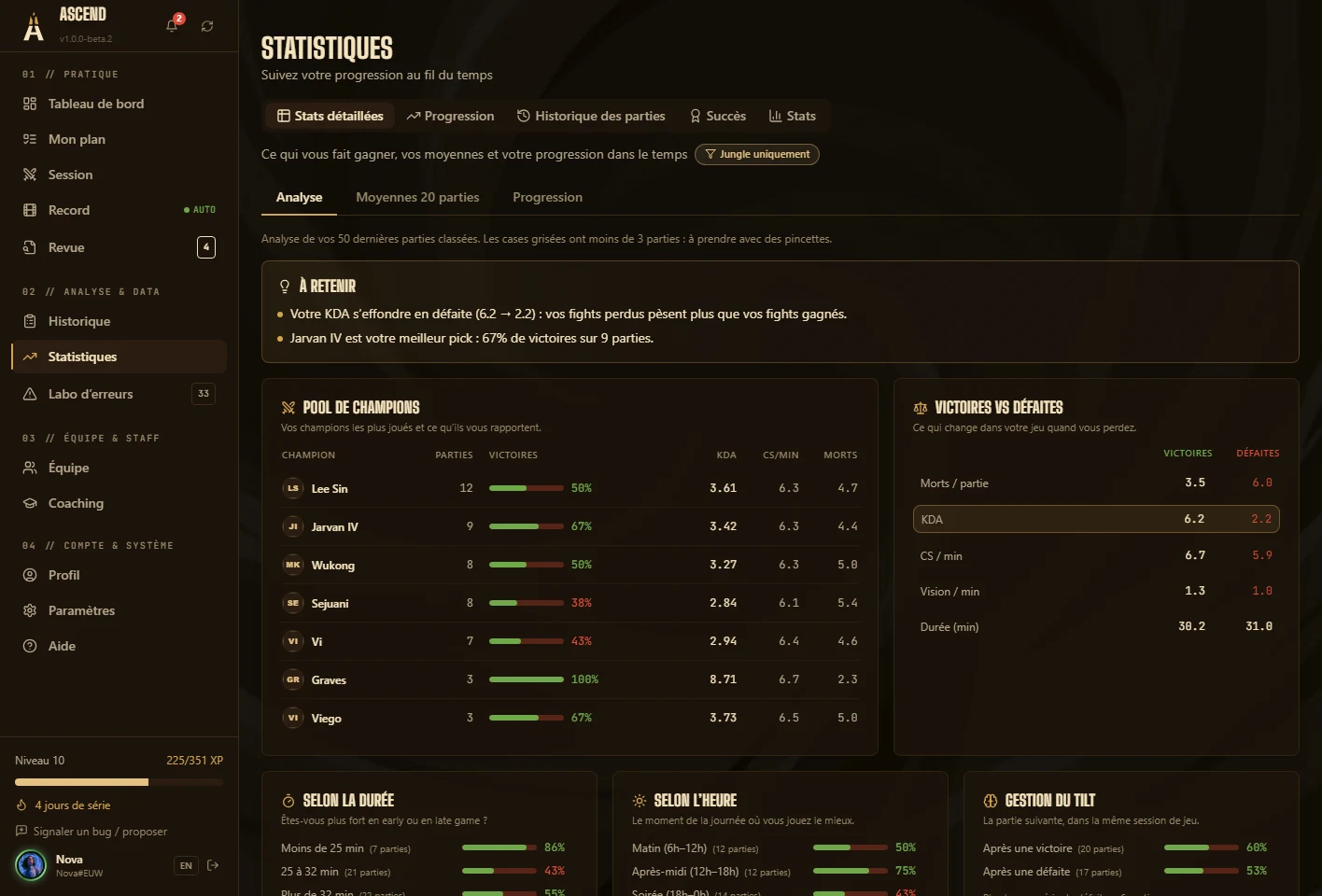
05Statistics
What makes you win, in numbers.
Your post-game stats compared with your own averages, to see what really changes when you win.
- The details of every game, and your values at 15 minutes
- Your trends over your recent games
- What sets your wins apart from your losses
- Your official ranking, as Riot provides it
-
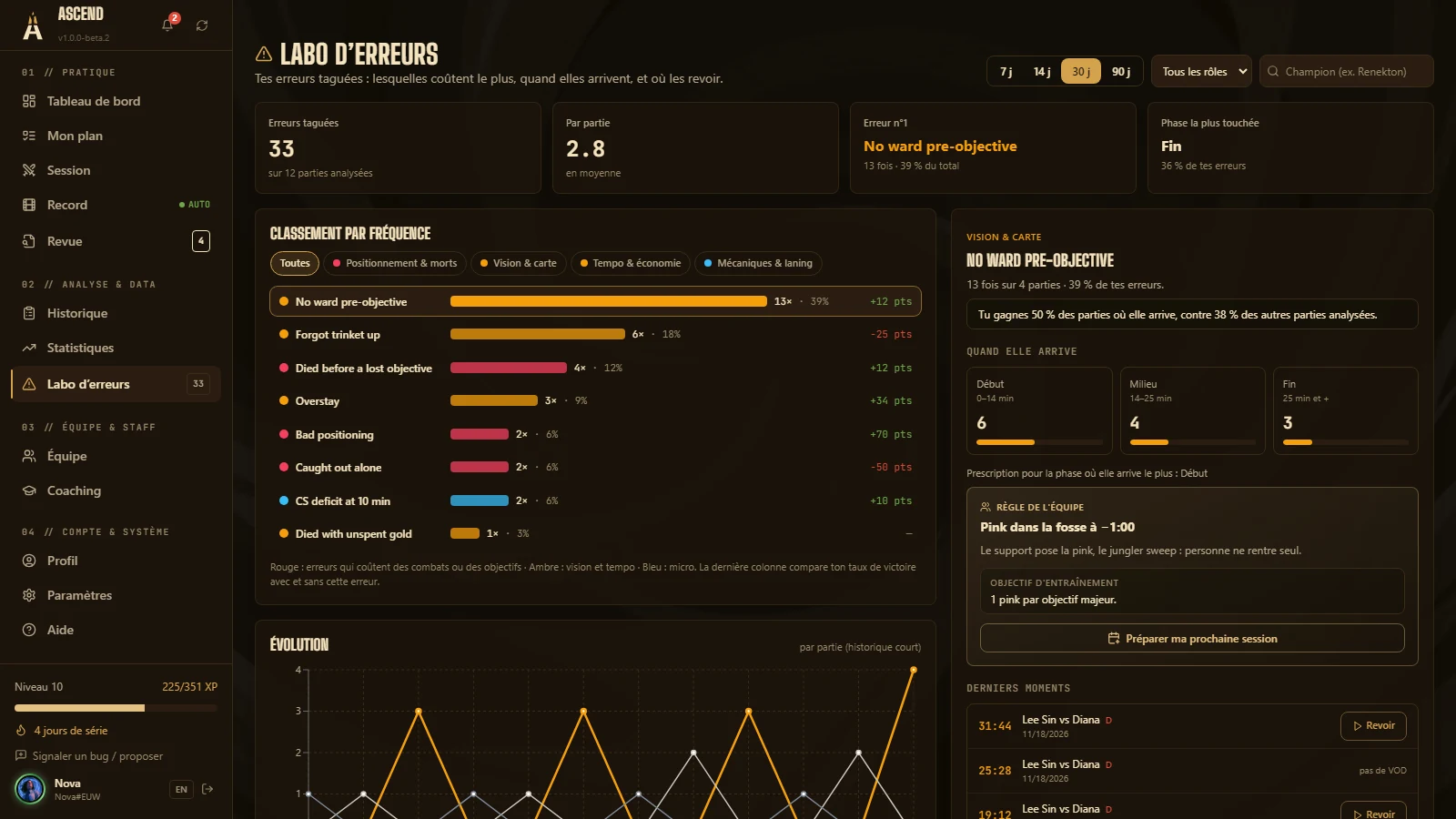
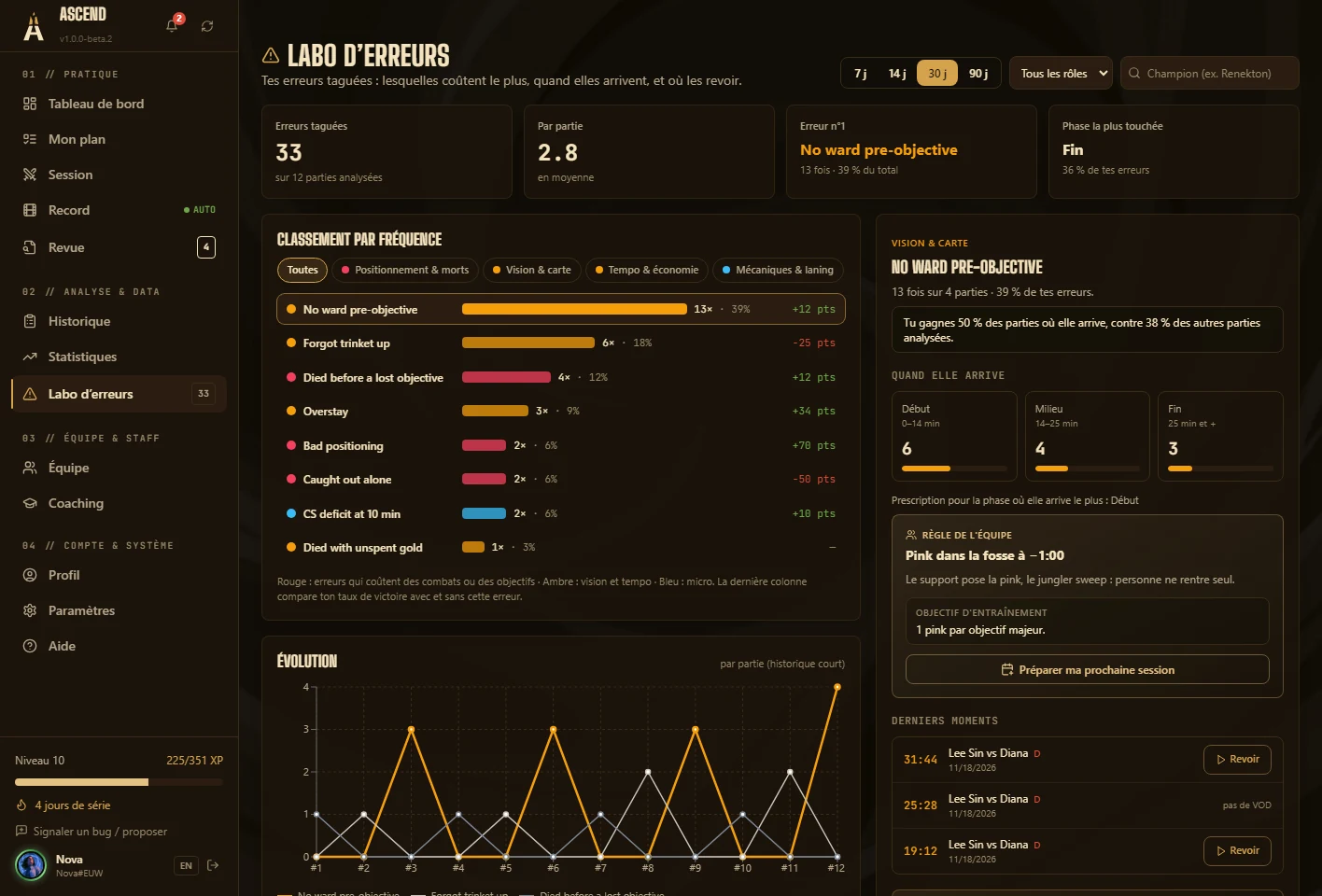
06Mistake Lab
Your recurring mistakes, sorted by what they cost.
Every tagged mistake lands here, whether it comes from you, the micro-review or the automatic detector. Which one comes back the most, how much it costs you, when it happens.
- 27 mistakes in the catalogue, in four families
- 16 spotted without you, on the official match timeline
- Occurrences, share of the total, win-rate gap
- A mistake can become your objective; Ascend tells you whether it goes down
-
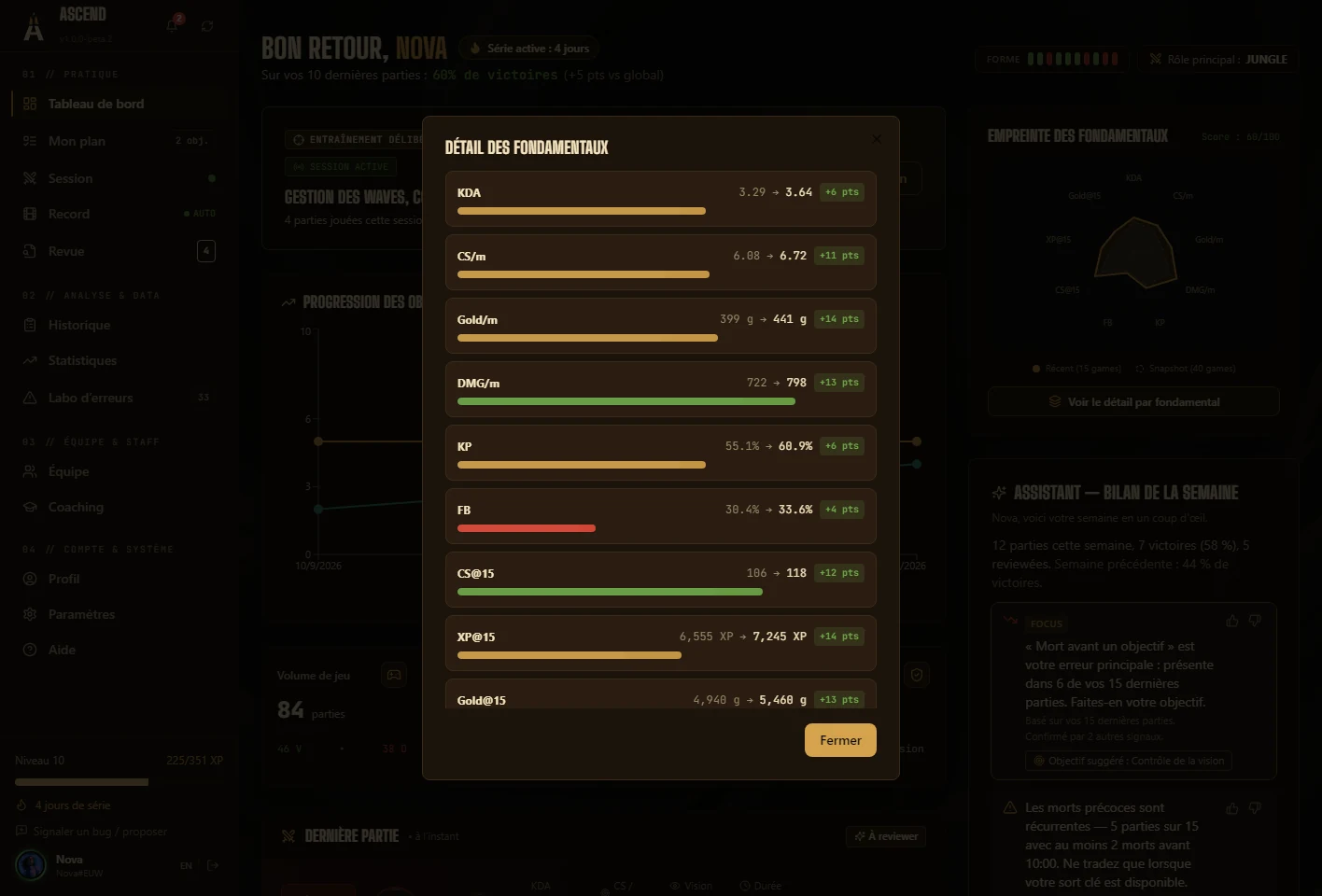
07Fundamentals fingerprint
Your current form, on a radar.
Nine axes, two windows: your last 15 games and your last 40. The gap between the two shapes is your current form.
- Axes dedicated to supports: vision, presence, crowd control
- A self-assessment of 38 fundamentals, in 7 families
- Fixed scales: the fingerprint compares you with no one
03 — And also
The rest of the toolbox.
- Practice tiers
- Eight tiers, from Recruit to Legend. They measure the work done in the app (reviews, micro-reviews, assessments), never your in-game level.
- Assistant
- Advice drawn from coaching rules written in advance, which you can read. No paid AI.
- Themes
- Eight colour themes, your own, and your background image. Everything applies live.
- Web app
- Reread your reviews and follow your plan from any device.
04 — Privacy
Your data stays with you.
Ascend runs on your PC first. The account is for backups, syncing your devices and working with your coach or team.
- After the game, never during
- Nothing shows up in game: no overlay, no information about opponents, no live advantage.
- Videos never uploaded
- Recordings stay on your disk. You choose what you publish.
- Local first
- Sessions, reviews, notes and statistics live in the application, which works offline.
- No AI at the core
- The micro-review applies rules written in advance, on your PC, offline.
What Ascend does with Riot data
Ascend relies on the official Riot Games API, read-only, and follows Riot’s developer policies. Here is exactly what the application requests, and what it never does.
- After the game, never during
- Ascend shows nothing in game: no overlay, no information about opponents, no live advantage. The game’s local Live Client Data API is only used to know when a game starts and ends, to start and stop recording.
- The key stays on our servers
- The application ships no API key. Requests go through an Ascend relay (HTTPS) that adds the key, only allows a closed list of read-only calls and rate-limits each account.
- Match data is cached
- Each match is requested once, then kept on your PC. This respects Riot’s rate limits and keeps the application fast.
- No home-made ranking
- Ascend does not estimate MMR and does not replace the official ladder. The estimate of your winning chances is only used to drop garbage time after the game; it is never shown as a rating.
- What you choose to share
- Your coaching data stays private. A coach or teammate only sees what you agreed to share with their group, and you can withdraw that at any time.
- Public data only
- Scouting only uses the public match history of the Riot IDs you enter. Ascend does not try to identify anonymous players.
| API | Why |
|---|---|
| ACCOUNT-V1 | Find your account, and those of your teammates or of the opponents you scout, from a Riot ID. |
| SUMMONER-V4 | Show summoner level and icon. |
| LEAGUE-V4 | Show your official standing, as Riot provides it. |
| CHAMPION-MASTERY-V4 | Build a player’s champion pool. |
| MATCH-V5 (matches, timeline) | Post-game statistics, values at 15 minutes, the critical moments of the micro-review, scrim statistics. |
Your next game can already count.
The beta opens in waves. Request access: you get an invite code, you install Ascend, and tonight your first micro-review tells you what to work on.
Already have a code? Download for Windows v1.0.0-beta.9 · 255 MB